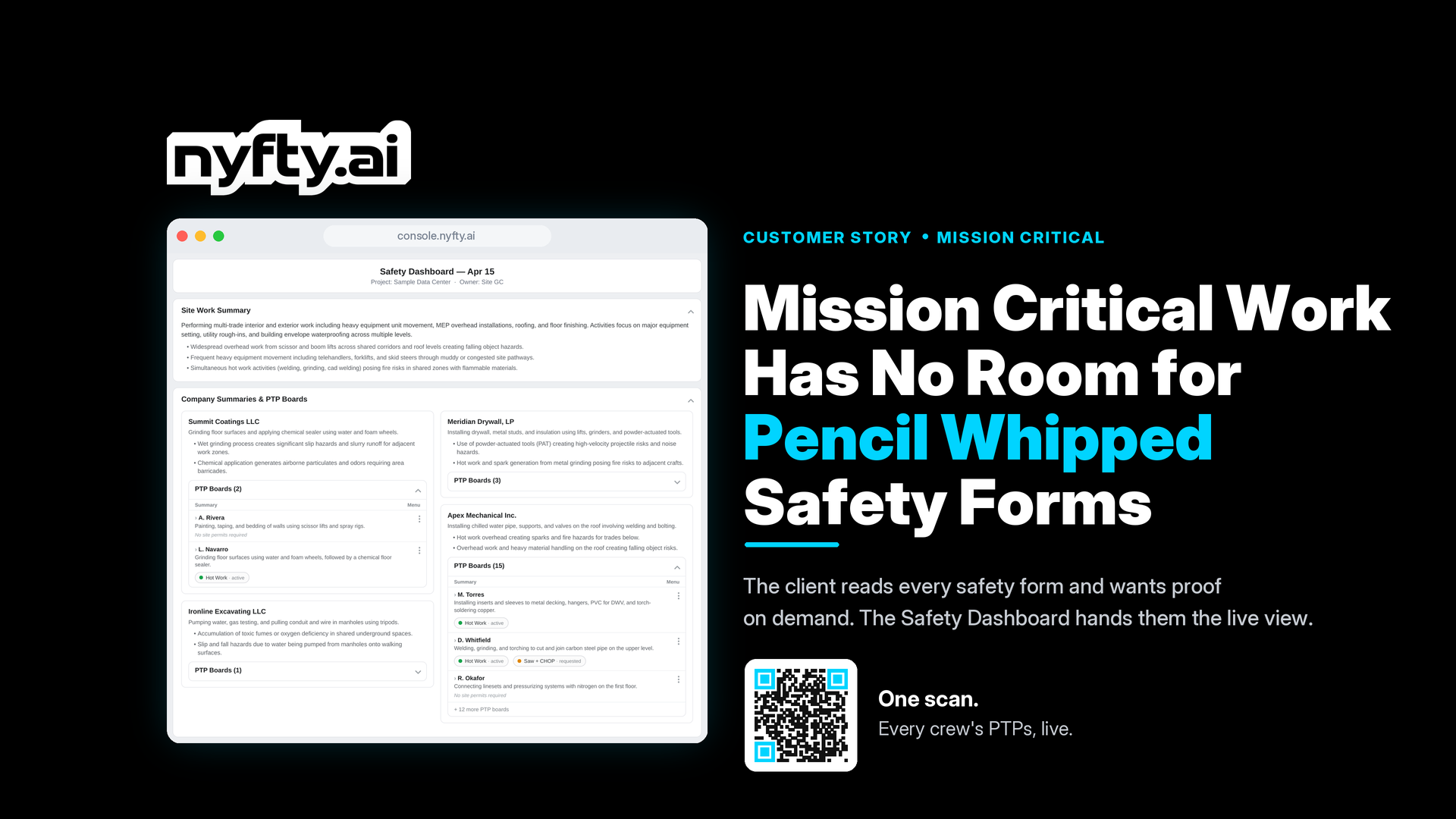
Mission Critical Work Has No Room for Pencil Whipped Safety Forms
On a data centre job, the client reads the safety paperwork and wants proof on demand. Here is how the Safety Dashboard hands them a live view, and how Nyfty's agents make sure the data behind it is worth reading.
Your client is watching. Actually watching.
On a data centre job, "Trust me, the paperwork's done." doesn't fly. The client's safety rep is on site, they've read the requirements, and they want to see the actual plans, not a pile of promises.
Mission Critical is different that way. The contractor runs the job. The client owns the oversight. And they exercise it. Every single day. So if your safety paperwork is the kind that gets signed at 6am without anyone really looking at it, that's going to come unstuck really fast.
The good news? There's a better way, and it doesn't involve drowning anyone in admin. We work on around 30 of these projects across the US right now, so we've seen what holds up under that scrutiny and what doesn't. Take a seat and we'll get you up to speed.
Pencil whipping: the form that's worse than no form
Here's the thing about a pencil whipped safety form. It's signed, it's dated, it looks fine on the surface, and nobody actually thought about it. Same hazards, same controls, copied from last Tuesday. Done in thirty seconds.
On most jobs that might slide by. On a Mission Critical project, the client's safety rep is reading these plans. They know what work is happening that day. A generic form for a hot works task is going to get questions nobody wants.
And the compliance headache is only the half of it. A pencil whipped form creates a paper trail that looks like planning without being planning. If something goes wrong, it's not your defence. It's evidence.
The fix? It isn't more policing. It's making the right thing easy, and giving the client the visibility they're actually asking for.
The client gets the live view: Safety Dashboard
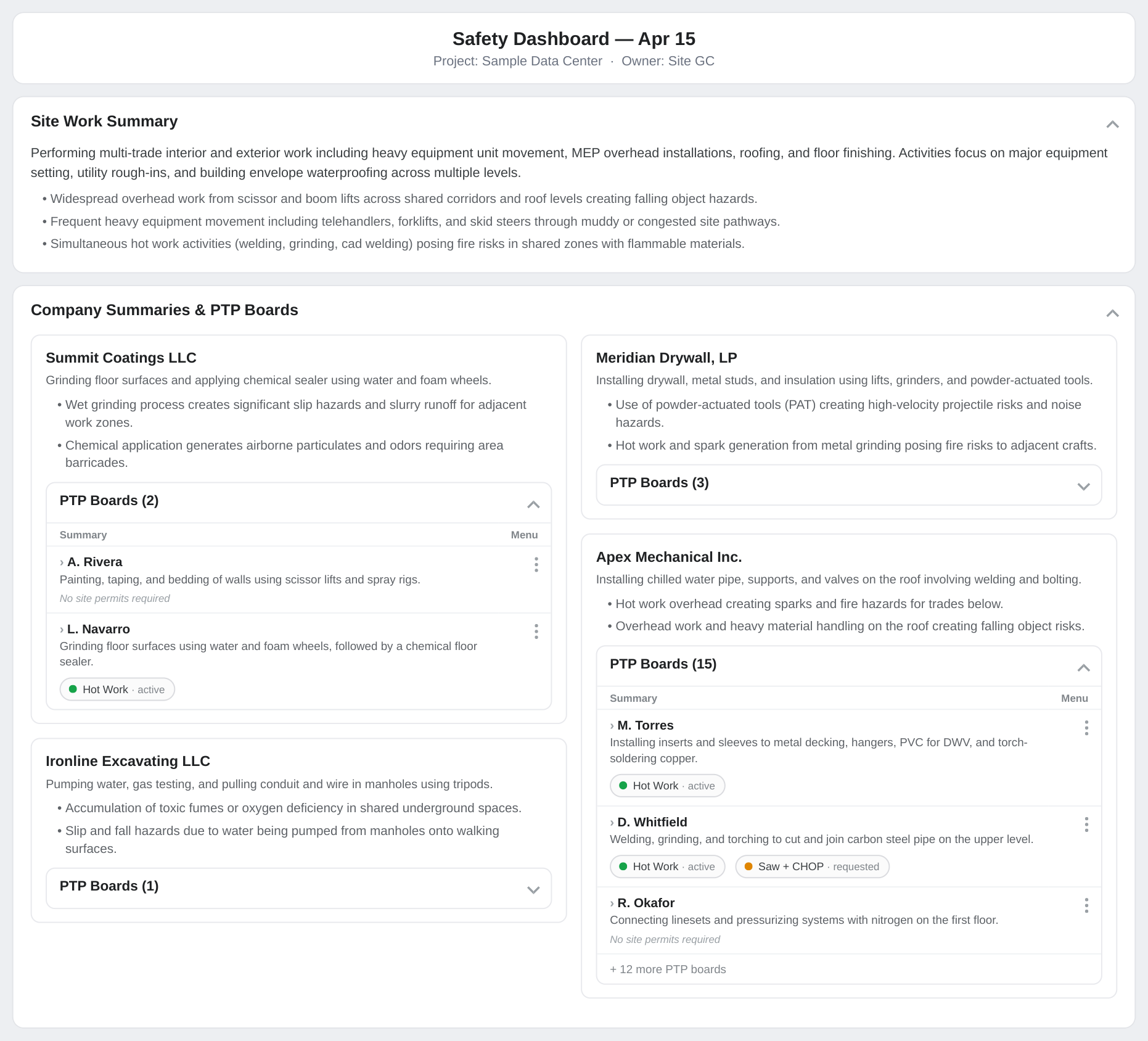
This is the fun bit. Nyfty's Safety Dashboard is switched on through the project's Attendance Bot. One QR code or web link, and anyone who has it can see every crew's Pre-Task Plans for the day, plus the Site Permits sitting alongside them, each with an auto-generated summary so the reader gets the full picture without opening every individual form.
No chasing. No PDFs emailed over later. The client rep scans the code standing on the slab and the whole day's safety picture is right there.
Rogers-O'Brien has been building Texas for over 50 years, and these days that includes some seriously demanding Mission Critical work. Nick Vargo, their Director of Operational Excellence, captured the appeal of the Safety Dashboard well:
"Our teams love the ability to go to one spot to see holistically who is on site. Not having to bounce around to different PDFs or windows makes our team more efficient."
One view. Real time. Everything in it.
The view is only as good as the data: PTP Agent
Here's the catch: a dashboard full of half-baked plans impresses nobody. The data behind it has to be solid.
Nyfty's PTP Agent evaluates every pre-task plan against the crew's own JHA and the site-specific safety plan. It scores the plan, flags any gaps, and co-authors corrections with the foreman so the plan is genuinely complete before the first tool comes out. For the foreman, that's about five minutes on their own, or the backbone for the morning crew huddle.
It works the same whether the crew snaps a photo of a paper docket or fills in the mobile form. Everything syncs back into Procore or Autodesk. No re-keying, no chasing.
We wrote the full backstory in Burn Your PTP Cards. Spoiler: it started because a senior superintendent submitted those four words to R-O's Innovation Station. We loved it and built a solution with them.
And while the foreman's at it: Toolbox Talk Agent and Site Permits Agent
Two more Nyfty agents join the morning flow, and they earn their keep.
Toolbox Talk Agent sends the foreman a link by SMS. They open it in their phone browser before the huddle and get three topic options, pulled from the site safety plan, the day's weather, and their own PTPs. The foreman leads the talk in person. The difference? The topic actually matches what the crew is doing that day, not a recycled slide that's been floating around since March.
Site Permits Agent is the newest addition, built right into the PTP flow. When a PTP gets evaluated, the agent flags which permit types the task needs, links any active permits the crew already holds, and walks them through creating the rest without leaving the flow. Approvers sign off digitally. The right people get notified if something's missing or pending. Close-out is captured, including a thermal image close-out for hot works. The permit log lands in Procore or as a PDF.
PTP to permits to close-out. One flow, no chasing.
Around 30 projects and counting
Nyfty is currently running on around 30 mission critical and data centre projects across the United States. The Safety Dashboard, PTP Agent, Toolbox Talk Agent, and Site Permits Agent aren't things we're trialling. They're what those crews reach for every morning.
If you want to see it in action, have a play in the Console. Or if you'd rather just talk through how it'd work on your projects, grab time on Matt's calendar.
Ready to put AI to work on your jobsite?